
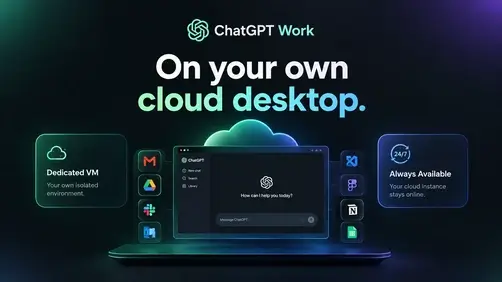
Codex, ChatGPT Work – Cloud Deploy and Run 24/7
From: $20.00 / month
Codex and ChatGPT Work on your own dedicated cloud desktop. Deploy an isolated VM, access your workspace from the web, and keep your cloud desktop available 24/7.

ChatGPT Work,
on your own cloud desktop.
Deploy a dedicated, isolated VM for ChatGPT Work. Access your desktop and workspace from the web, while your cloud instance stays available 24/7.
Pick up where you left off.
Your isolated workspace is running and ready for the next task.
Your desktop.
Your isolated workspace.
Run ChatGPT Work in a dedicated cloud environment with direct desktop access, a web workspace, and a VM that stays online between sessions.
A cloud desktop that stays on
Your isolated VM keeps ChatGPT Work available 24/7. Close your laptop, switch devices, then reconnect to the same workspace when you’re ready.
Desktop access, from anywhere
Open your remote desktop and web workspace from your account dashboard. Your own computer does not need to host the VM.
Get more from ChatGPT Work
Use your cloud desktop for research, planning, analysis, and polished deliverables—then return to the same environment later.
Keep a human in control
Ask your agent to outline its approach first. Review the plan, guide the work, and decide what’s ready to share.
Keep work in its own environment
Each instance runs in a separate VM. Open the workspace and available VM controls from your account dashboard.
Give the busywork
a better workflow.
Let your agent gather the context, prepare a first pass, and keep recurring work on track—so you can focus on the decisions that need you.
Set up your workspace →Bring together project notes, open decisions, risks, and follow-ups in one brief.
Compare findings, surface the tradeoffs, then shape a report or presentation.
Build a tracker from planning notes and prepare clear updates for the team.
Ask for a plan first. Refine the draft and approve the next step yourself.
Your ChatGPT Work VM in three steps.
Choose your plan
Start a monthly or yearly subscription, then return to your account.
Deploy your isolated VM
Name the instance and choose ChatGPT Work as the environment to install.
Connect from your desktop
Open the provisioned desktop and web workspace. Your cloud VM stays available between sessions.
Pick a rhythm that works for you.
One private cloud workspace, with the billing period that fits your team.
Monthly
Stay month to month and manage your subscription from your account.
- Dedicated cloud instance
- 24/7 workspace availability
- Agent selection and web chat
- VM access from your dashboard
Yearly
Make one annual commitment and keep your workspace ready all year.
- Everything in Monthly
- Uninterrupted annual access
- One-click workspace launch
- Manage billing in your account
Your subscription variation and price are managed through WooCommerce. Instance provisioning depends on the Bajhi cloud provisioner.
Give ChatGPT Work
an isolated VM of its own.
Deploy ChatGPT Work ↗Already subscribed? Sign in to your dashboard
Questions, answered.
Does my cloud desktop stay online if I close my browser?+
Yes. The dedicated VM is designed to stay online 24/7, independently of your personal computer, so you can reconnect to the same workspace later.
What can I install in an instance?+
Choose ChatGPT Work for the primary experience, or select Bajhi Agent or OpenCloud when those runtimes are available on your account. The instance form only offers the environments supported by your deployment.
Can I use desktop access to my isolated VM?+
When desktop access is enabled for an instance, its secure VM access link appears in your dashboard alongside the web workspace.
How do subscriptions work?+
Choose monthly or yearly checkout. Workspace creation is available to accounts with an active mapped subscription. You can manage billing from your account.
Is this the official OpenAI ChatGPT Work service?+
No. Bajhi provides the hosted workspace and agent integration. ChatGPT Work is an OpenAI product; available model access and features depend on the runtime and account configured for your instance. Learn about ChatGPT Work at OpenAI ↗
Only logged in customers who have purchased this product may leave a review.
Vendor Information
- Store Name: Bajhi Team
- Vendor: Bajhi Team
- No ratings found yet!











Reviews
Clear filtersThere are no reviews yet.