

Chatx – AI Chatbot Agent for All Platforms
Price range: $20.00 through $5,000.00
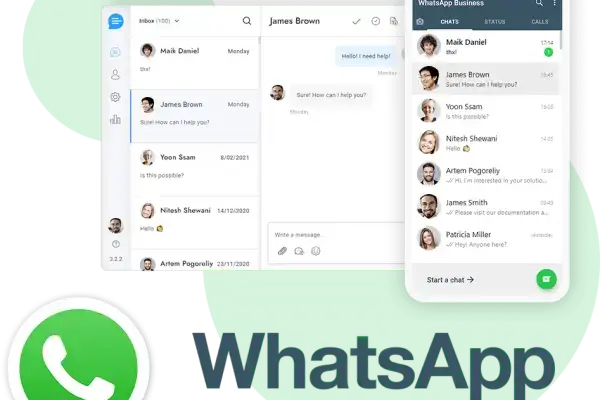
Manage all your lead & customer conversations in one place. From Websites, Facebook, Instagram, WhatsApp, Telegram, WeChat, Viber, Line, Slack, Zendesk etc. Let your trained AI handle all the conversations.

ChatX - All-in-One Support & Marketing Agent
Manage all your lead & customer conversations in one place, across Any Website, WhatsApp, Telegram, Messenger, Instagram, Email, SMS, WeChat, Line, Viber, Shopify, WordPress etc. Let your trained AI handle all the conversations.
 Telegram



User Profile
Technology logs
Assigned Tags
Massive Broadcaster & Bulk Campaigns
Reach your audience directly where they read messages. Send automated or schedule-based mass DMs on **WhatsApp, Messenger, Telegram, SMS, and Email** directly from your leads database.
-
Dynamic User Personalization
Inject user fields dynamically such as
{{First Name}},{{Order ID}}, or{{Custom Attribute}}to boost read and click rates. -
Unified Campaign Delivery Logs
Track message opens, click-through rates, and opt-outs in real time across different channels side-by-side.
Visual Bot Flow & AI Autopilot
Automate replies completely or guide customers through structured checklists. Design custom logical nodes that query databases, trigger API variables, and transfer chats to agents when critical parameters are met.
-
OpenAI & Gemini Integrations
Synchronize your AI bot with LLM weights. Let it answer questions naturally using document indexes, PDFs, or site FAQs.
-
Drag & Drop Logic Nodes
Construct conditional paths without coding. Test live inputs, trigger database callbacks, and deploy instantly.
Professional Customer Support & Handover
Scale support workflows seamlessly. Combine a comprehensive ticketing framework, deep knowledge base article lookup, and instant human handover to optimize resolution parameters.
-
Semantic Knowledge Base Search
Auto-recommend debugging or setup articles to users before a support ticket is dispatched, routing common issues out of queues.
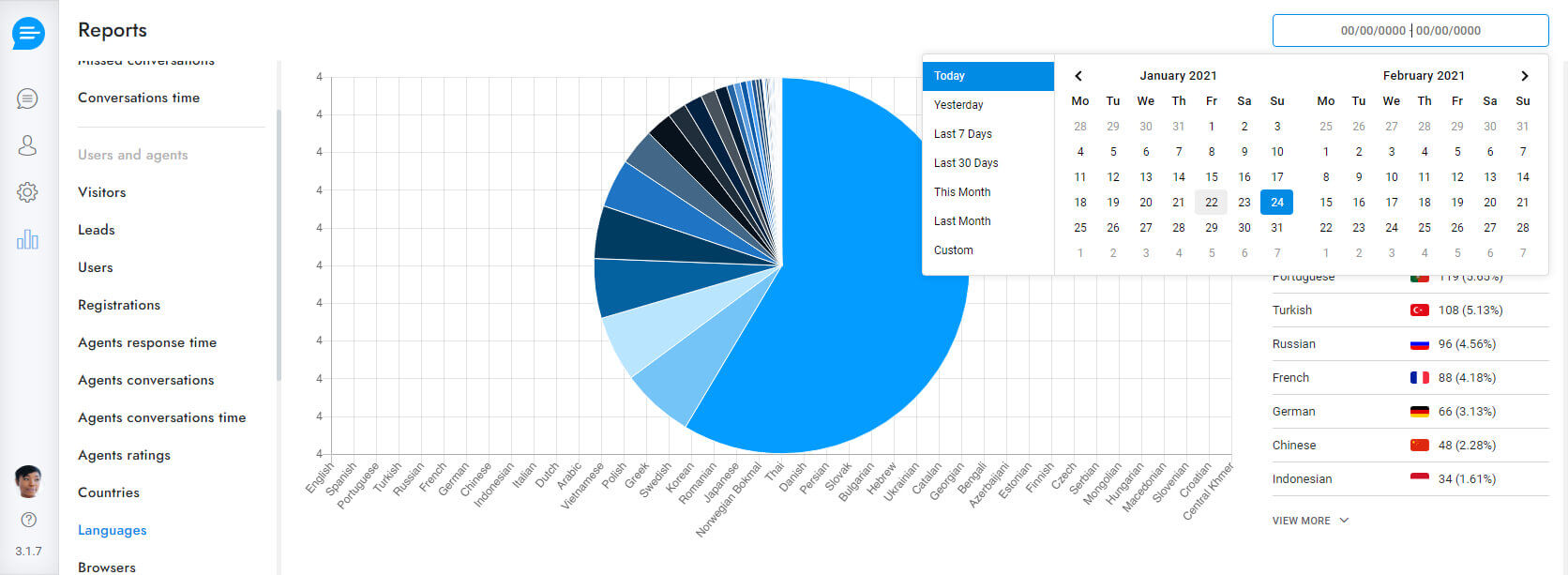
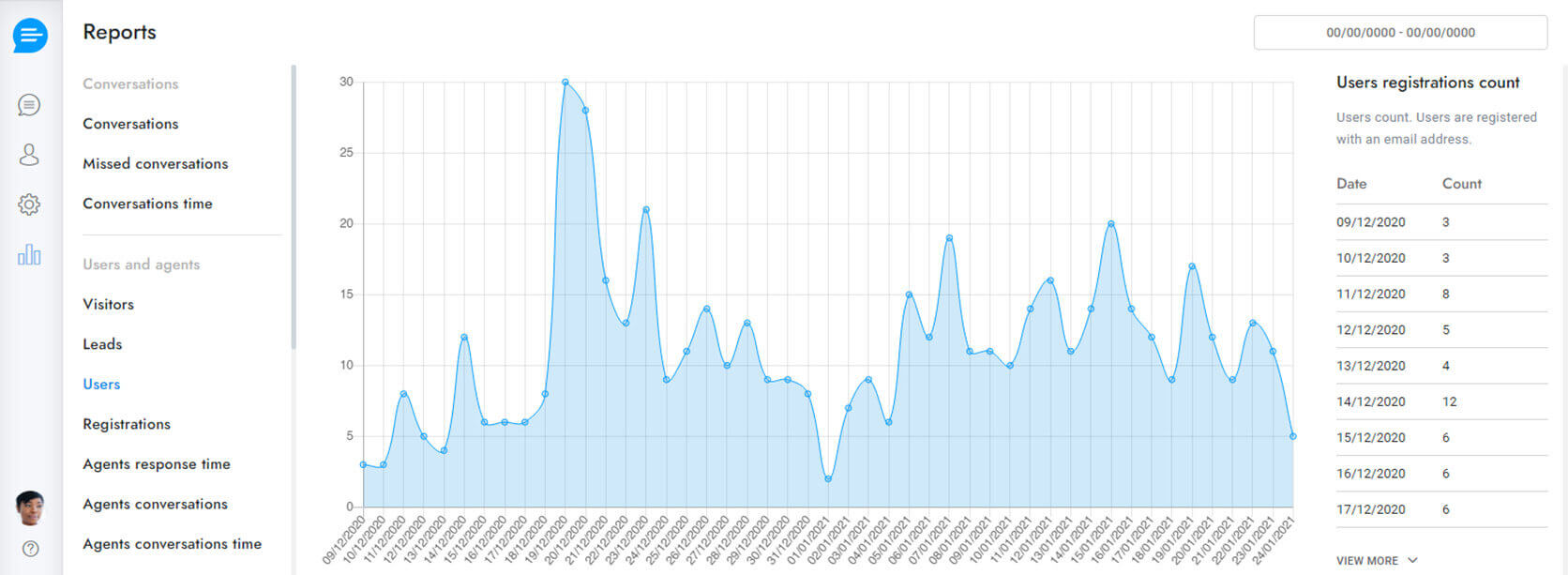
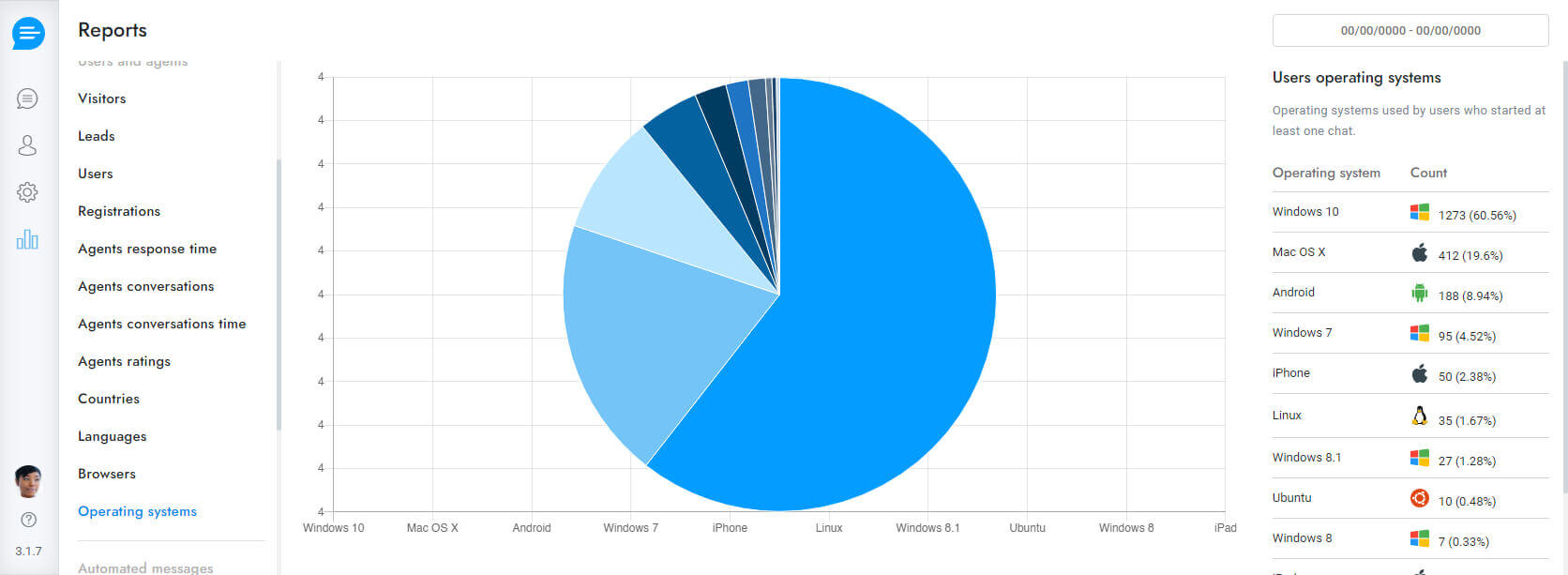
Deep Reporting & Performance Metrics
Monitor response times, agent activity, customer satisfaction scores, and transaction conversions natively in the reports engine.
A Knowledge Base Your Customers Actually Use
Cut down repetitive questions before they ever reach an agent. Publish searchable help articles on a dedicated page or straight inside the chat widget, organized by category and translated automatically for every visitor.
-
In-Chat Article Suggestions
The widget recommends relevant articles the moment a visitor starts typing a question, resolving issues before a ticket is even created.
-
Categories & Multilingual Articles
Group content by topic and let every article auto-translate, so one knowledge base serves customers in any language.
Everything Your Agents Need, Built Into the Panel
Small tools that save real minutes on every conversation, so your team spends less time typing and more time closing.
Saved Replies
Insert common answers with a keyboard shortcut instead of retyping the same message all day.
Rich Message Editor
Format replies with markdown, drop in emojis, attach files, or send a quick voice note.
AI-Summarized Notes
Leave private notes on a conversation and let AI condense them, pulling out contact details automatically.
Auto Spelling Correction
Typos are fixed in real time before a message is sent, in whatever language the agent is typing.
Departments & Fair Conversation Routing
Organize agents by department and let ChatX distribute new conversations proportionally, or allow customers to pick their preferred agent. A live queue keeps visitors informed of their wait time.
-
Real-Time Waiting Queue
Visitors see their position and estimated wait time, reducing drop-off while they wait for a free agent.
-
Department Email Alerts
Route notifications to the right inbox automatically whenever a conversation lands in a specific department.
Reach Visitors Before They Bounce
Greet every new visitor, follow up when nobody answers fast enough, and invite online users into a live conversation before they ever consider leaving your site.
-
Welcome & Pop-Up Messages
Trigger a friendly greeting on page load or on chat open, with multiple variations shown for different pages and visitor segments.
-
Smart Follow-Up
If no agent replies within 15 seconds, ChatX automatically asks for an email so the conversation never goes cold.
Hey! 👋 Need help finding the right plan? I'm here if you have questions.
Turn Conversations Into Subscribers
Capture an email mid-conversation and push it straight into the newsletter tool you already use, no manual exports required.
Speak Every Customer's Language
Messages are translated between visitor and agent in real time, and the chatbot itself can hold a full conversation in whichever language the customer prefers.
-
50+ Languages, Auto-Detected
ChatX detects the visitor's language automatically and switches the entire chatbot experience to match.
Let Customers Book Straight From Chat
Connect your calendar and let visitors pick a slot without ever leaving the conversation. Agents keep full visibility and control from the same panel.
-
Calendar Sync
Works with the calendar tools you already run, so double-bookings and manual back-and-forth disappear.
-
Bookings Inside Tickets
Every scheduled meeting shows up next to the conversation and ticket it came from, so agents have full context.
Know Exactly How Every Chat Went
Collect a rating at the end of each conversation and see satisfaction trends by agent, by channel, or across the whole team.
Average rating across all conversations this month
Per-Agent Breakdown
See which agents are consistently rated highest and where coaching would help most.
Feedback on WhatsApp
Collect a rating conversationally, even on messaging channels outside the website widget.
A Ticket Queue That Tracks Itself
Every conversation that needs follow-up becomes a ticket automatically, with response-time targets tracked in the background so nothing quietly slips past its deadline.
-
Embeddable Ticket Area
Drop a full ticket center anywhere on your site, so customers can raise and track issues without an extra login.
Build On Top of ChatX
A full REST API and outbound webhooks let your team wire ChatX into internal tools, CRMs, or custom dashboards without waiting on us to build it first.
-
REST API & Webhooks
Send messages, read conversation history, and react to events in real time from your own backend.
-
Full Documentation
Clear docs and example requests so your developers can integrate in an afternoon, not a sprint.
{
"conversation_id": 9021,
"message": "Thanks for reaching out!",
"channel": "whatsapp"
}
200 OK — message queued for delivery
How to Integrate ChatX
Follow these quick steps to launch the ChatX widget on your site or customize your admin dashboard settings.
To display the chat on your website go to chat.bajhi.com Installation Tab and copy the embed code, then paste it into your website pages. If you are using WordPress, you can download the Support Board Cloud plugin there. Activate the apps from Settings > Apps.
<!-- ChatX -->
<script id="chat-init" src="https://chat.bajhi.com/account/js/init.js?id=6314397"></script>
You can access your chat dashboard directly from your own custom domain (e.g.,
chat.yourdomain.com) by following these steps:
- Point your subdomain's DNS CNAME record to
chat.bajhi.com. - Once configured, you can log in and access your chat dashboard directly via your custom domain.
The API token is required for using the ChatX WEB API.
Flexible Pricing Designed to Scale
Select the tier that aligns with your volume. Start for free and cancel at any time.
Frequently Asked Questions
Have questions? We have answers. Find clarity on deployment, billing, and integrations.
How does ChatX integrate with WordPress?
Can I train the AI Bot with my own documentation?
What messaging platforms are supported?
Is ChatX secure and GDPR compliant?
Can I use the chatbot with Dialogflow, OpenAI, and Gemini simultaneously?
Does it support email ticketing with POP3/IMAP syncing?
Is it possible to white-label the customer panel and chat widget?
How do offline notifications work?
How does the queue system distribute conversations to departments?
Only logged in customers who have purchased this product may leave a review.
Vendor Information
- Store Name: ApexApps Enterprises
- Vendor: ApexApps Enterprises
- No ratings found yet!












Reviews
Clear filtersThere are no reviews yet.