




DocuSeal – Open Source Document Signing Platform
From: $20.00 / month
Deploy your own dedicated open-source DocuSeal document signing instance on Bajhi Cloud. Unlimited documents, unlimited users, drag-and-drop form builder, automated PDF signing, and free REST API access with custom domain and automated SSL. Powered by Bajhi Cloud.

Open Source Document Signing
The open source DocuSign alternative. Create, fill, and digitally sign documents with ease. Deploy your own dedicated instance on Bajhi Cloud with unlimited documents, unlimited signers, and full API access.



Everything Built For Seamless Signing
Designed to give you full data sovereignty and eliminate extortionate per-envelope fees forever.
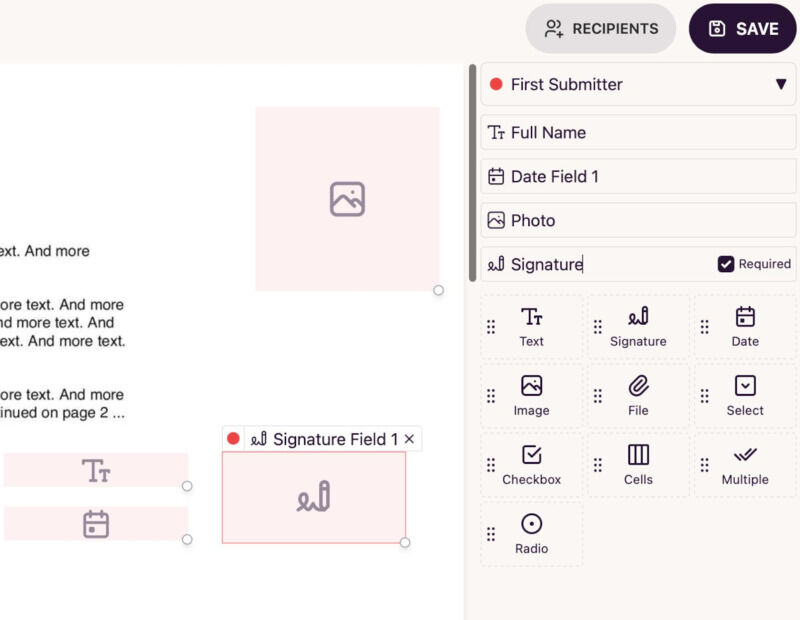
Drag & Drop Visual Document Editor
Turn any static PDF into an interactive, fillable form. Place text inputs, date pickers, signature fields, checkboxes, and attachments with pixel perfection.
- Intuitive visual drag-and-drop field placement
- Support for complex conditional logic and field validation
- Pre-fill customer data via URL parameters or API
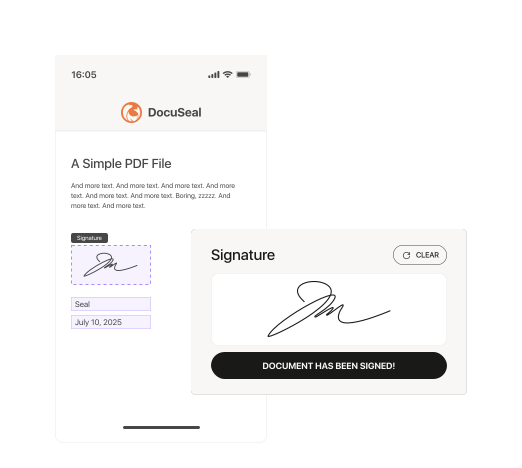
Effortless Signing on Any Device
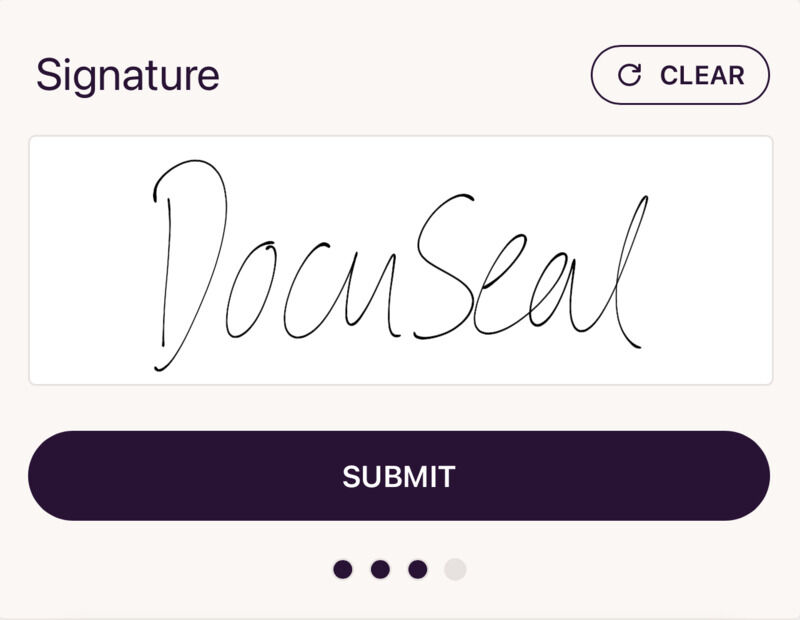
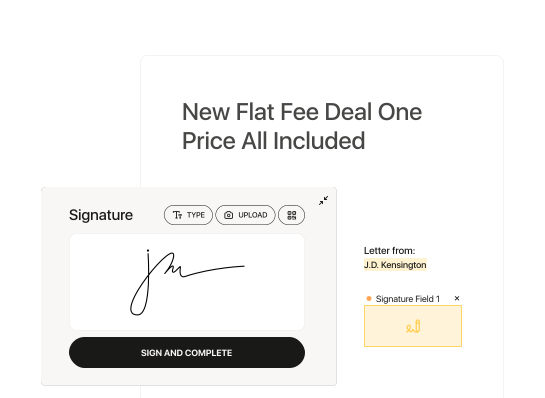
Provide your clients and partners with a frictionless mobile and desktop signing flow. No account creation or software download required for signers.
- Draw, type, or upload verifiable digital signatures
- Automated email notifications and reminder sequences
- Sequential and parallel multi-party signing workflows
Legally Binding & Enforceable
Full audit trails, cryptographic hash verification, timestamping, and compliance with US ESIGN, UETA, and EU eIDAS regulations.
Isolated Private Cloud
Your documents and database remain on your dedicated NVMe server instance. Zero third-party telemetry, zero vendor lock-in.
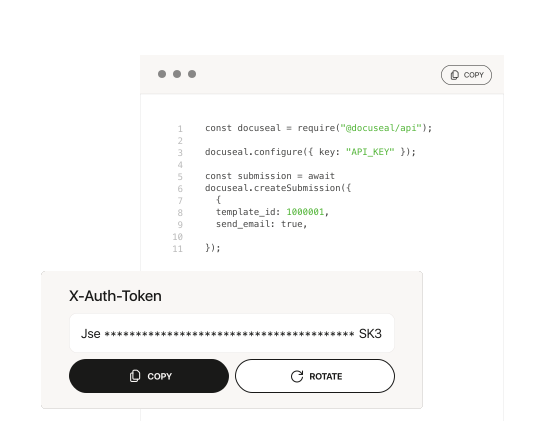
Embed & White-Label Anywhere
Seamlessly embed document signing into your own SaaS, portals, or mobile apps via official React components and JavaScript SDK.
Built for High-Velocity Teams
Everything you need to automate paperwork, sign contracts, and scale without per-document costs.
PDF Form Builder
Drag-and-drop fields onto any PDF. Add text inputs, signatures, dates, checkboxes, images, and file attachments with an intuitive visual editor.
Digital Signatures
Signers can draw, type, or upload their signature. Supports electronic signature compliance with automatic audit trail and tamper-proof certificates.
Multi-party Signing
Send documents to multiple recipients with defined signing order. Each party receives personalized fields and signing invitations via email.
API & Webhooks
Full REST API for automating document workflows. Create templates, send signing requests, and receive webhook notifications programmatically.
Embedded Signing
Embed the signing experience directly into your application with React components, iframes, or JavaScript SDK. White-label ready.
Templates & Automation
Create reusable document templates. Automate recurring signing workflows with conditional fields, pre-filled data, and bulk send capabilities.
Automate with Your Favorite Tools
Connect DocuSeal with 1,000+ business applications via Zapier, Make, and n8n webhooks.
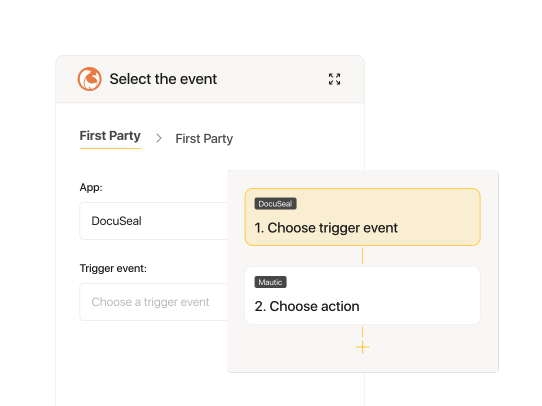
Zapier Integration
Trigger workflows when documents are signed, pre-fill contracts from CRM data, and auto-upload to Google Drive.
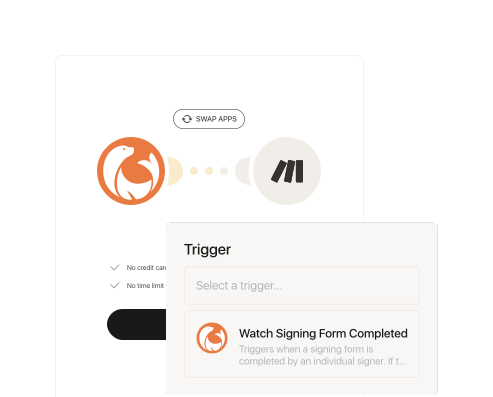
Make (Integromat)
Build visual multi-step document pipelines connecting your billing, email, and customer databases with DocuSeal.
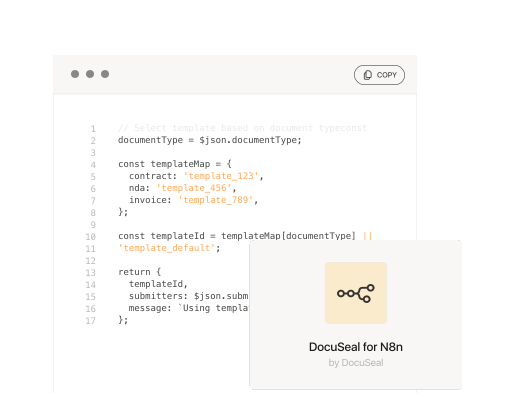
n8n Automation
Self-hosted workflow automation. Connect open source n8n on Bajhi Cloud with your DocuSeal instance for full sovereignty.
Enterprise-Grade Security Standards
Engineered to meet the most stringent international compliance, legal, and privacy frameworks.

SOC 2 Type II
Meets strict industry standards for security, availability, confidentiality, and data privacy controls.

ISO 27001
Certified Information Security Management Systems ensuring your signing pipelines adhere to global standards.

HIPAA Compliant
Safeguards protected health information (PHI) with end-to-end encrypted storage and audit trails.

GDPR Ready
Guarantees individual data rights, privacy by design, and strictly sovereign data localization.
Deploy in 3 Simple Steps
Get your own isolated DocuSeal cloud instance running in under 5 minutes.
Subscribe to Lite Plan
Choose the Cloud Deploy Lite plan — includes unlimited documents, unlimited users, custom domain, and full API access.
Automated Provisioning
DocuSeal is provisioned on dedicated NVMe cloud infrastructure with automated Let's Encrypt SSL, daily backups, and health monitoring.
Start Signing
Upload your documents, place signature fields, invite recipients, or trigger requests via API. You're ready for production.
DocuSeal for AI Agents & Workflows
Add document signing capabilities to your AI agents, code assistants, and automation pipelines. Build autonomous e-signature agents with official MCP servers, agent skills, and SDKs.
Agent Skills for Claude Code & Codex
Give AI code agents complete domain knowledge about the DocuSeal API, field schemas, and embedded signing components to build custom e-signature apps autonomously.
npx skills add docusealco/docuseal-agent-skills
MCP Knowledge Base
Model Context Protocol server giving coding assistants full context over the DocuSeal API, webhook events, and embedded SDK parameters with zero hallucination.
OpenClaw Document Agent
Open-source AI agent that manages document signing through chat on WhatsApp, Telegram, Slack, or the web. Create templates, dispatch contracts, and audit submissions.
Hermes Agent Integration
Open-source agent by Nous Research running directly in your terminal, connecting Discord, Slack, and messaging networks to sign, audit, and route contracts.
DocuSeal CLI Automation
Manage templates, dispatch documents for signing, and track completions straight from your shell or CI/CD pipelines. Includes built-in AI skill for agent scripting.
npm install -g docuseal
ChatGPT & Claude Assistants
Use DocuSeal directly inside ChatGPT Custom GPTs or Claude Projects. Create templates, fill fields, and inspect real-time audit trails with plain natural language.
Simple, Transparent Pricing
One plan. Everything included. No per-envelope fees, no user limits, zero hidden costs.
Your own fully managed DocuSeal document signing platform
Cancel anytime. No lock-in contracts. 1-click upgrade or migration.
- Unlimited Documents & Signed PDFs
- Unlimited Users, Signers & Recipients
- Custom Domain + Automated SSL Certificate
- Full REST API, SDKs & Webhooks Access
- Daily Automated Snapshot Backups
- Embedded Signing (React, iFrame, JS SDK)
- High-Performance NVMe Cloud Infrastructure
- White-label Custom Branding & Email Notifications
Developer & Platform Resources
API Reference
Full REST API documentation — create templates, manage submissions, and automate signing workflows.
Documentation
Comprehensive guides covering setup, configuration, form fields, and integrations.
GitHub Repository
Browse source code, star the project, and stay updated with the latest open-source releases.
Questions & Answers
Everything you need to know about DocuSeal, legal compliance, security, and deployment.
Are DocuSeal signatures legally binding?
Yes, DocuSeal aligns with the ESIGN Act and the UETA in the US, and the eIDAS regulation in Europe (SES, AeS and QeS), making signed documents legally binding. Every signed document includes a tamper-evident audit trail with cryptographically verifiable timestamps and hash signatures.
Can I use my own logo and branding?
Yes! Go to Settings and select Personalization from the list of menu items on the left side. Then click Upload Logo to upload your company image. Your logo and brand styling will be used in emails, custom domains, and directly on the document signing interface.
How do I embed signing on my website or mobile app?
Utilize our no-code and low-code solutions to effortlessly integrate a document signing form into any web or mobile app. DocuSeal provides React, Vue, Angular, and vanilla JavaScript Web Component libraries as well as secure iFrame embedding with bi-directional postMessage events.
Is DocuSeal GDPR compliant?
DocuSeal is fully GDPR-compliant. With dedicated deployment on Bajhi Cloud, your instance gives you complete data sovereignty and ownership over documents, logs, and database records, fulfilling European data protection standards.
Is DocuSeal HIPAA compliant?
Yes, DocuSeal has implemented all HIPAA requirements and security safeguards. With isolated single-tenant cloud deployment, sensitive patient records and PHI remain isolated and protected with AES-256 encryption at rest and TLS 1.3 in transit.
Is DocuSeal secure?
DocuSeal is built on open-source code audited by the security community and complies with SOC 2 and ISO 27001 standards. All signing workflows produce SHA-256 cryptographic document checksums, IP logs, and tamper-evident audit certificates.
How to send a signature request via company email?
You can connect your custom SMTP server, Gmail, Google Workspace, or Outlook/Office 365 account to send all signing invitation emails directly from your own domain. All email templates and notification messages in DocuSeal are fully customizable.
Can I use DocuSeal on my mobile device?
Yes. With our mobile-first, step-by-step form view, signers enjoy a smooth and effortless signing experience on smartphones and tablets. You can also upload PDF templates, define fields, and request signatures directly from your mobile browser.
How to add a phone verification via SMS?
Click on Add Recipients to open the recipient configuration and select invite via phone number. Signers will receive a secure one-time verification code via SMS before they can view and sign the sensitive document.
How do I contact sales and support?
You can reach our dedicated cloud engineering team anytime via Bajhi Support or email [email protected] for custom deployments, volume migration assistance, or enterprise integrations.
Only logged in customers who have purchased this product may leave a review.
Share this product
Copy your link, create a QR code, or prepare publishing materials for this product.
Start a social campaign for this product from your Publishing workspace.
Generate Materials
Scan to open your referral link
Download QR codeVendor Information
- Store Name: Bajhi Team
- Vendor: Bajhi Team
- No ratings found yet!






Reviews
Clear filtersThere are no reviews yet.